
Popular
-
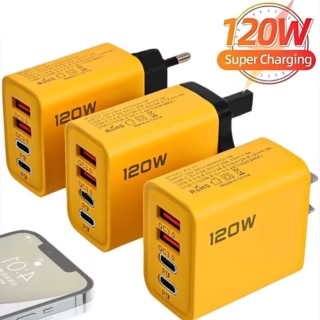 120W Fast Charging 4 Ports Mobile Phone Charger QC3.0 USB Type C Chargers Dual PD USB Wall Adapter EU/US Plug for iPhone Samsung
-
 Android charger cables
₵20.00
Android charger cables
₵20.00
-
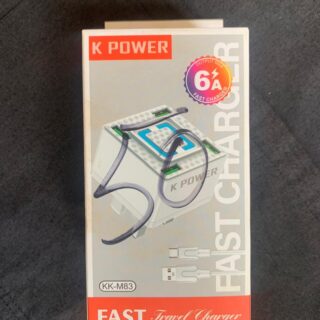 K-power travel adapter
₵50.00
K-power travel adapter
₵50.00
-
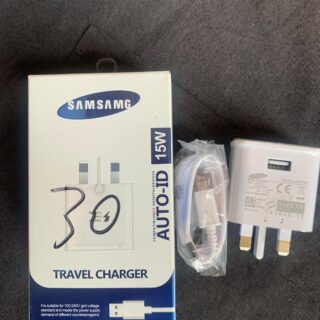 Samsung Tap-C charger
Original price was: ₵35.00.₵30.00Current price is: ₵30.00.
Samsung Tap-C charger
Original price was: ₵35.00.₵30.00Current price is: ₵30.00.
-
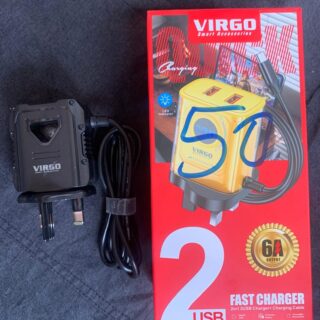 Virgo smart USB charger
₵50.00
Virgo smart USB charger
₵50.00

### How to Hard Reset Most Android Phones: A Step-by-Step Guide
Sometimes, your Android phone might experience issues that a simple reboot can’t fix. Whether it’s a frozen screen, persistent software glitches, or unresponsive apps, performing a hard reset can often resolve these problems. At “Excellent Phones,” we frequently help our customers with this process, and we’re here to guide you through it.
#### What is a Hard Reset?
A hard reset, also known as a force restart, involves restarting your phone using a combination of hardware buttons. This process is particularly useful when your phone is unresponsive and you can’t access the usual restart options through the screen.
#### When Should You Perform a Hard Reset?
You might need to hard reset your Android phone if:
– The screen is frozen and unresponsive.
– The phone is stuck on a particular screen.
– Apps are crashing repeatedly.
– The phone is not responding to touch or button inputs.
#### How to Perform a Hard Reset on Most Android Phones
Follow these simple steps to hard reset your Android phone:
1. **Locate the Buttons**:
– Find the volume up button and the power button on your phone.
2. **Press and Hold**:
– Press and hold both the volume up button and the power button simultaneously.
– Continue holding these buttons for at least 7 seconds.
3. **Wait for the Restart**:
– After holding the buttons for about 7 seconds, your phone should power off and restart.
– You might see the manufacturer’s logo or a startup screen indicating that the phone is rebooting.
4. **Release the Buttons**:
– Once you see the startup screen, release the buttons and wait for the phone to complete the reboot process.
5. **Check Your Phone**:
– After the phone has fully rebooted, check to see if the issues have been resolved.
#### Important Considerations
– **Data Safety**: A hard reset will not erase any of your data. It is simply a way to force the phone to restart.
– **Persistent Issues**: If the problem persists after performing a hard reset, it might be indicative of a deeper issue that requires professional attention.
#### When to Seek Professional Help
If your phone continues to have problems after a hard reset, or if you’re unsure about performing the reset yourself, bring your device to “Excellent Phones” for expert assistance. Our technicians can diagnose and fix a wide range of phone issues to get your device back to optimal performance.
#### Additional Tips
– **Regular Updates**: Keep your phone’s software up to date to avoid common issues.
– **Clear Cache**: Regularly clear the cache to improve performance and reduce glitches.
– **Backup Data**: Always back up your data to prevent loss in case of severe issues.
#### Visit Us for Expert Phone Repairs
At “Excellent Phones” in the Upper West Region of Ghana, we specialize in providing top-notch phone repair services. Whether it’s a simple fix or a more complex problem, we’re here to help. We also offer a wide range of phone accessories and services like flashing and unlocking locked phones.
#### Conclusion
Performing a hard reset on your Android phone is a quick and effective way to resolve many common issues. If you encounter persistent problems or need professional assistance, visit “Excellent Phones” for expert repair services. Share this guide with others who might find it useful, and don’t hesitate to contact us for any phone-related concerns.

Product Showcase














Leave a Reply